








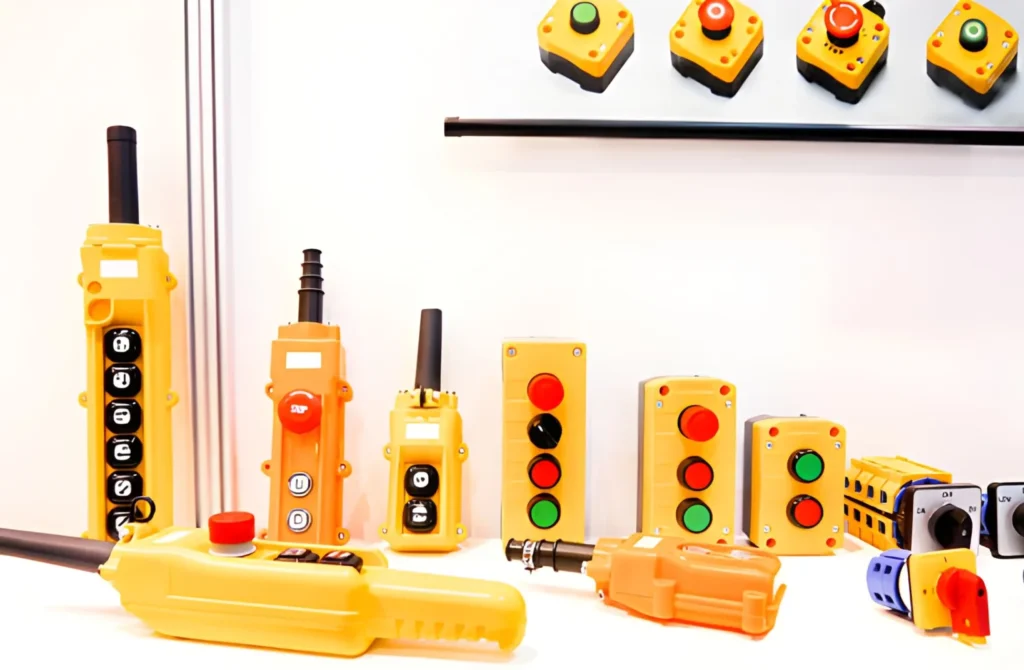
Push Button Pendant COP‑5MDD for Hoist & Crane Control
If you’re reading this, chances are you’re either tired of hunting for a good push button pendant that actually lasts, or you’re trying to decide whether the COP‑5MDD dual‑speed push button pendant station fits your project. I’ve been in the electrical game long enough to know that nobody buys a pendant just “because it exists.”
They buy it because someone somewhere messed up the wiring once too often, or a supplier swapped a one‑speed unit in where the crane needed dual‑speed control and the whole line had to stop. I’m going to walk you through the COP‑5MDD like a product sheet with a sense of humor: how to pick the right variant, how to wire it, and what to watch out for when you’re working with a unit like this.
What the COP‑5MDD push button pendant actually does
O COP‑5MDD is a dual‑speed push button pendant station designed for remote control of hoists, cranes, winches, and similar industrial equipment. It hangs on a cable, so the operator can walk around the load zone and still control the machine safely. Think of it as the “handheld cockpit” for your hoist.
From what I see in the COP‑series ecosystem, these units are built for:
- Crane and hoist control (single‑motion or multi‑motion systems).
- Direct operation of contactors or small drives, not just fancy programmable setups.
- Indoor and light outdoor environments, thanks to IP‑rated enclosures and weather‑resistant seals.
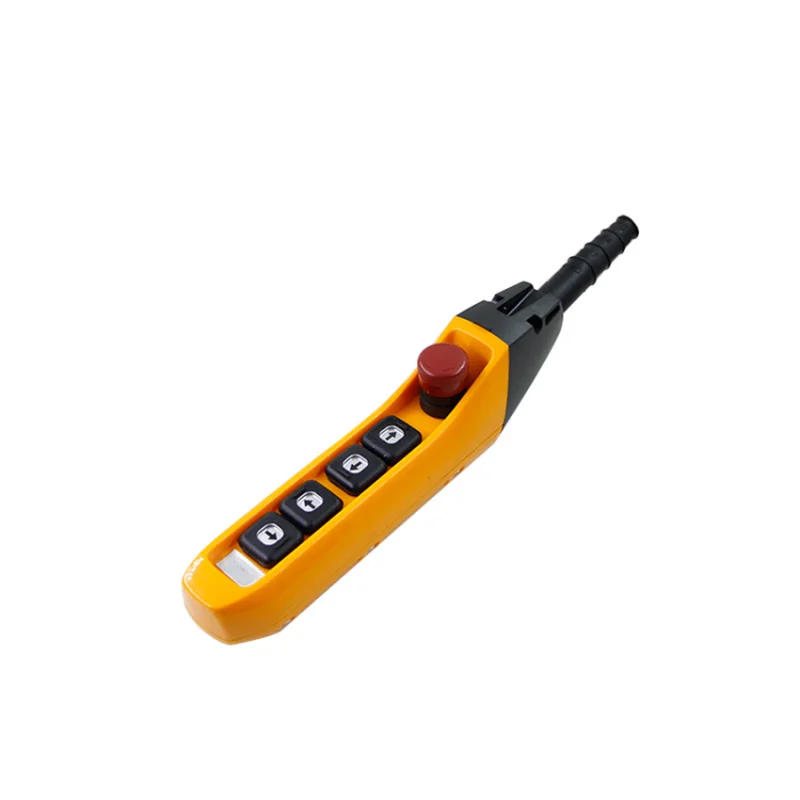
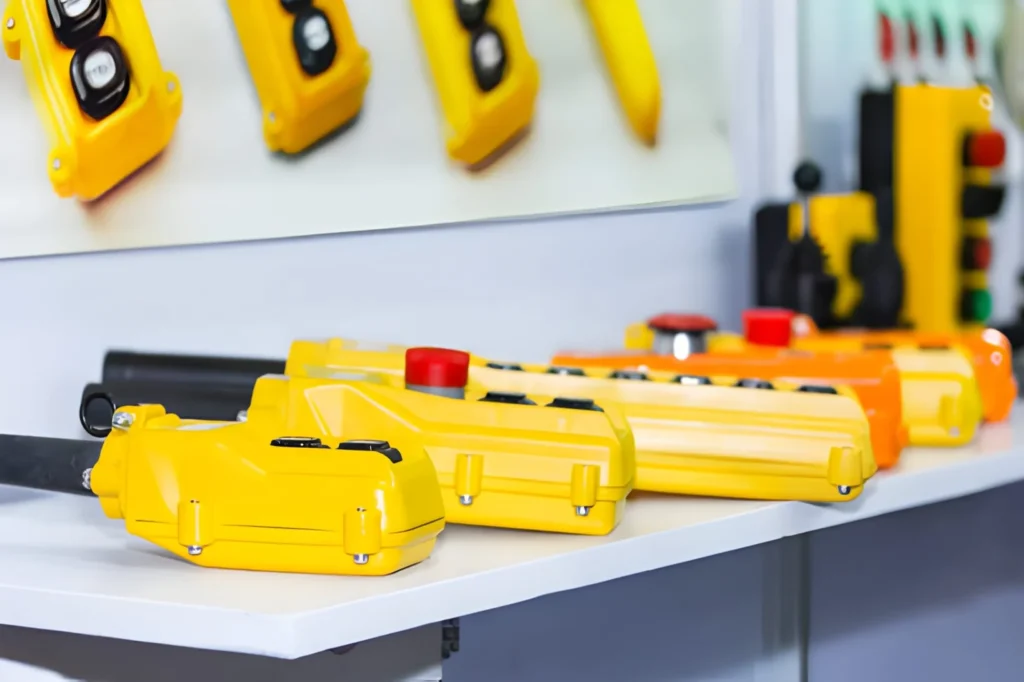
They’re usually made from reinforced plastic or ABS, with a yellow or safety‑color body e red/black buttons for clear visual distinction. The “DD” in the model usually flags dual‑speed functionality, while variants like COP‑5MSS are often the single‑speed counterparts. So if your spec says “2 speed push button pendant for crane,” you want the DD version.
Why dual‑speed matters here
Here’s the quick reality check: with a single‑speed hoist, you typically have just up/down with a fixed speed. With a dual‑speed control pendant, you get:
- High speed for moving the load over distance quickly.
- Low speed for precise positioning and fine‑tuning.
That’s why “dual speed hoist control pendant” is a hot B‑side keyword for OEMs and system integrators. It’s not just about “remote control,” it’s about precision e safety.
For example, if you’re controlling a shop‑floor hoist that lifts 1–2 tons, the dual‑speed option lets the operator:
- Run at high speed toward the workstation.
- Drop to low speed as the hook approaches the exact lift‑point, so the operator doesn’t overshoot and risk damaging the load or the machine.
How to choose the right pendant model (COP‑5MDD vs other types)
If you’re comparing options, here’s a simple checklist to keep you from over‑engineering (or under‑engineering) your pendant.
1. Speed level: single vs dual
For single‑speed hoists, you only need simple up/down or in/out buttons. That’s where models like COP‑5MSS come in. If the spec says “single speed push button pendant station,” you’re safe with that.
For dual‑speed hoists, you need separate high‑speed and low‑speed contacts. That’s the COP‑5MDD’s playground. The pendant will usually provide:
- Two contact blocks per motion (up and down), each with high‑speed e low‑speed outputs.
- One of those can be wired into the main contactor for fast travel, the other into a bypass or low‑speed contactor.
2. Number of buttons
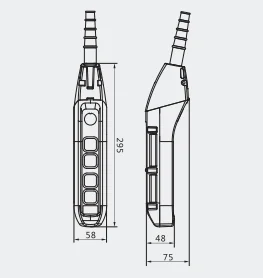
Most COP‑series pendants range from 2‑button (simple up/down) up to 5‑button or more. The “5” in COP‑5MDD usually means five actuator positions. Typical layouts are:
- 2‑button: Up / Down (sometimes with a separate emergency stop).
- 4‑button: Up / Down (dual speed) + Left / Right.
- 5‑button: Up / Down (dual speed) + Left / Right + Emergency stop.
If you’re wiring a crane or trolley, the 5‑button dual‑speed pendant is usually the “sweet spot.” You get enough motions plus emergency stop without over‑crowding the operator’s hand.
3. IP rating and environment
If your customer keeps asking for a “waterproof push button pendant station for hoist,” they’re usually thinking about IP65 or better. Look for descriptions like:
- High‑impact ABS enclosure
- Two‑piece housing for easy wiring
- Cable glanding with strain relief
These are the things that make the pendant survive splashes, dust, and occasional hose‑downs in a workshop. Don’t just sell “crane pendant”; sell “industrial IP‑rated push button pendant station suitable for indoor and light outdoor hoist environments.”
Here’s a quick comparison‑style snapshot you could drop into your own spec sheet:
| Recurso | COP‑5MSS (single‑speed) | COP‑5MDD (dual‑speed) |
|---|---|---|
| Speed level | Single‑speed up/down only | Dual‑speed: high/low options per motion |
| Typical button layout | 2–5 buttons (less complex motion) | 4–5 buttons (multi‑motion with dual speed) |
| Best‑fit application | Simple hoists, basic lifting tasks | Cranes, trolleys, multi‑motion hoists needing precision |
| Contact configuration | 1 contact block per motion | 2 contact blocks per motion (high and low speed) |
| Keyword focus | “single speed push button pendant station” | “2 speed push button pendant for crane,” “dual speed hoist control pendant” |
If you are unsure whether the COP-5MDD push-button pendant control station is suitable for your project, please feel free to contact me.
How to wire the COP‑5MDD pendant (no‑nonsense version)
I’m going to walk you through a typical wiring scenario for a COP‑5MDD dual‑speed pendant on a standard crane hoist. For simplicity, assume:
- One hoist motion: up/down.
- Dual‑speed control: high speed e low speed.
- One emergency stop cabeça de cogumelo.
1. Basic layout inside the pendant
Most COP‑series pendants have:
- A main terminal block inside the body.
- Screw‑clamp terminals for each button contact.
- Internal wiring channels that keep everything tidy.
For a dual‑speed setup, you’ll typically see:
- Up contact with two terminals for high and low.
- Down contact the same way.
- Emergency stop normally closed (NC), with a separate pair.
2. Connecting to the hoist control circuit
Here’s a simple wiring logic (no schematics, just clear steps):
- Run the pendant cable from the pendant through the gland into the hoist control panel.
- The cable usually has multiple cores (e.g., 6–8 cores) for up/down, high/low, E‑stop, and spare.
- Identify the core colors marked on the pendant’s internal terminal block.
- Connect the dual‑speed up contact:
- Route the high‑speed up terminal to the main hoist contactor coil.
- Route the low‑speed up terminal to the low‑speed contactor coil (or a preset “creep” speed).
- Repeat for down:
- High‑speed down → main contactor for downward travel.
- Low‑speed down → “fine‑motion” contactor.
- Wire the emergency stop:
- The NC E‑stop contact usually goes in series with the main hoist supply (before the coil or in the control circuit).
- When the operator presses it, the circuit breaks and the hoist stops immediately.
If your customer keeps asking questions like “can this pendant work with a VFD?”, that’s where you pivot to “pendant control station suitable for variable frequency drive‑based hoist systems.” In practice, the pendant still just closes contacts; the VFD or soft‑starter handles the speed ramp internally.

A few “how‑to” wiring tips
- Check polarity and sequence before energizing. Those dual‑speed contacts can be wired the wrong way and the operator will see “up” and “down” reversed.
- Strain‑relief the cable at the pendant gland and at the control panel so the flex life of the cord doesn’t become your weak point.
- Label the cores inside the control panel with the same legend as the pendant (e.g., “U‑H,” “U‑L,” “D‑H,” “D‑L,” “E‑Stop”). That saves hours of troubleshooting later.
If you tell your customer, “this COP‑5MDD pendant is pre‑planned for standard dual‑speed hoist wiring,” you’re already ahead of the game.
When to choose the COP‑5MDD over other pendants
Here are a few real‑world use cases where the COP‑5MDD shines:
- Warehouse or workshop crane needing dual‑speed fine‑control for precise loading/unloading.
- OEM integrators who want an off‑the‑shelf pendant instead of a custom‑built box.
- Replacement pendants where you need to match existing button layout and cable length.
If your project is:
- Simple, low‑cost lifting, and you only need up/down, pick COP‑5MSS or a similar single‑speed push button pendant station.
- More complex, with cranes, trolleys, or multi‑motion hoists, the COP‑5MDD dual‑speed push button pendant gives you the extra flexibility.
If you’re an OEM, integrator, or maintenance buyer, the COP‑5MDD dual‑speed push button pendant station is built to be your go‑to crane pendant for multi‑motion hoists that demand both speed and precision. You get:
- A robust, IP‑rated enclosure that survives real‑world conditions.
- Dual‑speed contacts for smooth, controlled operation.
- A clear, ergonomic layout that reduces operator fatigue.
If you want to speed up your selection process, reach out with your exact crane speed level, number of motions, and cable length requirement, and you can lock in the right pendant configuration without guesswork.
And if you’re still not sure which pendant suits your project, drop a quick spec sheet our way and we’ll line up the right model—single‑speed, dual‑speed, or a full‑custom pendant control station—so you don’t have to rewire the system six months later.
PERGUNTAS FREQUENTES
What’s the difference between COP‑5MSS and COP‑5MDD?
O COP‑5MSS is a single‑speed push button pendant station, so it only controls one speed level per motion (usually just up/down). The COP‑5MDD is a dual‑speed hoist control pendant, with separate high and low‑speed contacts for each motion. If you need “2 speed push button pendant for crane,” choose the DD version.
Can this pendant be used with a variable frequency drive?
Yes. The pendant’s contacts simply close the control circuit; what they drive (contactors or VFDs) is up to your panel design. A pendant control station suitable for VFD‑based hoist systems is still just a low‑voltage push‑button interface. The VFD takes care of the speed ramping.
Is the COP‑5MDD waterproof enough for my workshop?
Most COP‑series pendants are built with IP‑rated ABS enclosures e glanded cable entries, so they’re fine for indoor and light outdoor use. If your spec says “waterproof push button pendant station for hoist,” you’re generally talking about IP65‑class enclosures e sealed push buttons. Always confirm the exact IP rating with the manufacturer’s datasheet.
How do I know if I need a dual‑speed pendant or a single‑speed one?
Ask two questions:
Does your crane need both fast travel and fine‑positioning? If yes, you want a dual speed hoist control pendant.
Is the hoist only moving short distances with simple up/down? Then a single speed push button pendant station is enough.
Can I customize the button layout?
Some COP‑series units are modular, letting you configure 2‑, 4‑, or 5‑button layouts with different combinations of up/down, left/right, and emergency stop. If your customer keeps asking for “industrial pendant control station with emergency stop,” that’s the setup they’re usually after.